Your weight can bounce around from day to day — water retention, meal timing, and a dozen other things can cause the number on the scale to jump. The weight trend line on your Levels & Effects chart cuts through all that noise and shows you the direction you're actually heading.
What You'll See on the Chart
The chart shows two things related to weight:
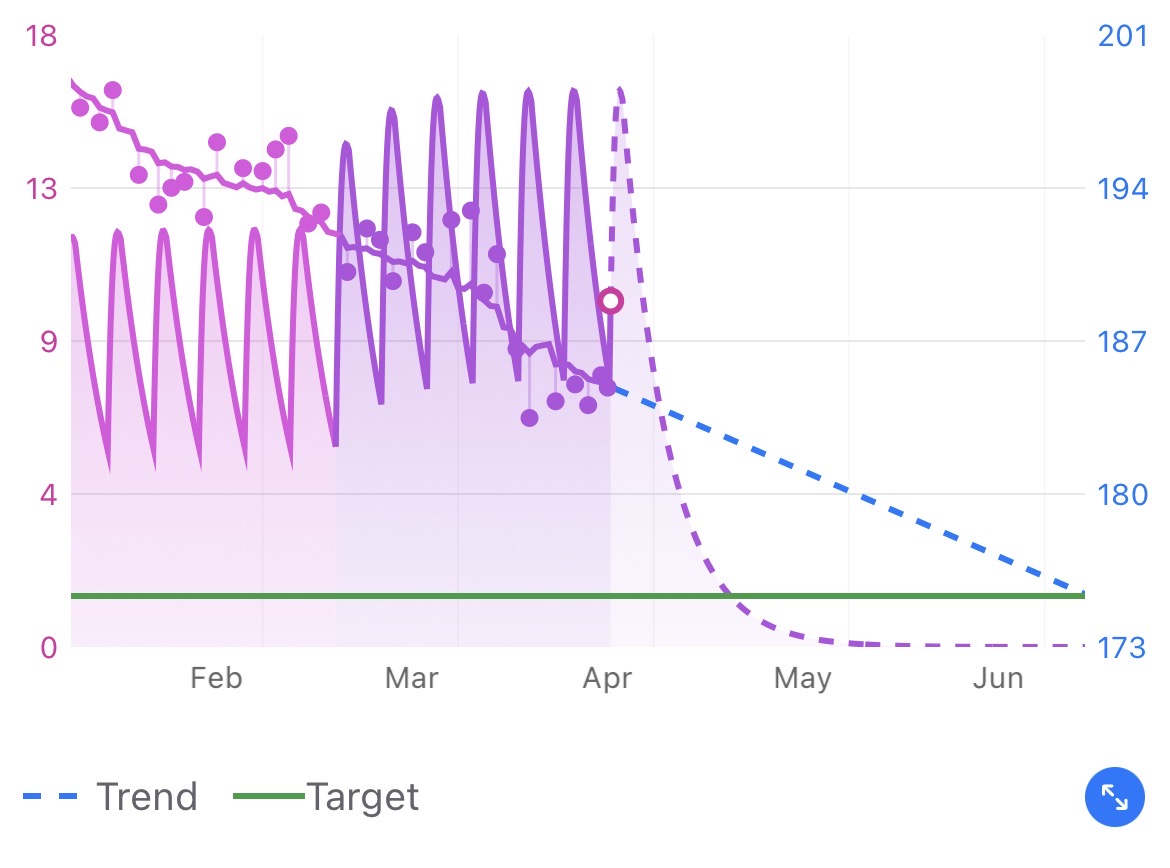
- Weight data points — your individual weigh-ins, shown as dots on the chart with pins connected to your trend to help show the deviation.
- Smoothed trend line — a solid line that follows the general direction of your weight over time, filtering out day-to-day fluctuations.
If you've enabled the weight trend projection, you'll also see a dashed line extending past your most recent weigh-in. This is Pokii's best estimate of where your weight is heading based on your current trend.
How the Trend Is Calculated
Pokii uses a smoothing technique that looks at your entire weight history — from your first weigh-in all the way through your most recent one. It's not limited to just the last week or month. The more data you have, the more reliable the trend becomes.
The algorithm runs in two passes — forward and backward through your data — then blends the results. This means the trend line won't overreact to a single high or low reading, and it adjusts smoothly when your weight changes direction (like going from losing to maintaining).
What About the Dashed Projection?
The dashed line picks up where the solid trend line ends (at your latest weigh-in) and projects forward. It uses the speed and direction of your current trend to estimate where you're heading.
Keep in mind — this is a projection, not a guarantee. It updates every time you log a new weight, so it gets more accurate as you add data.
How Your Starting Weight Setting Affects the Trend
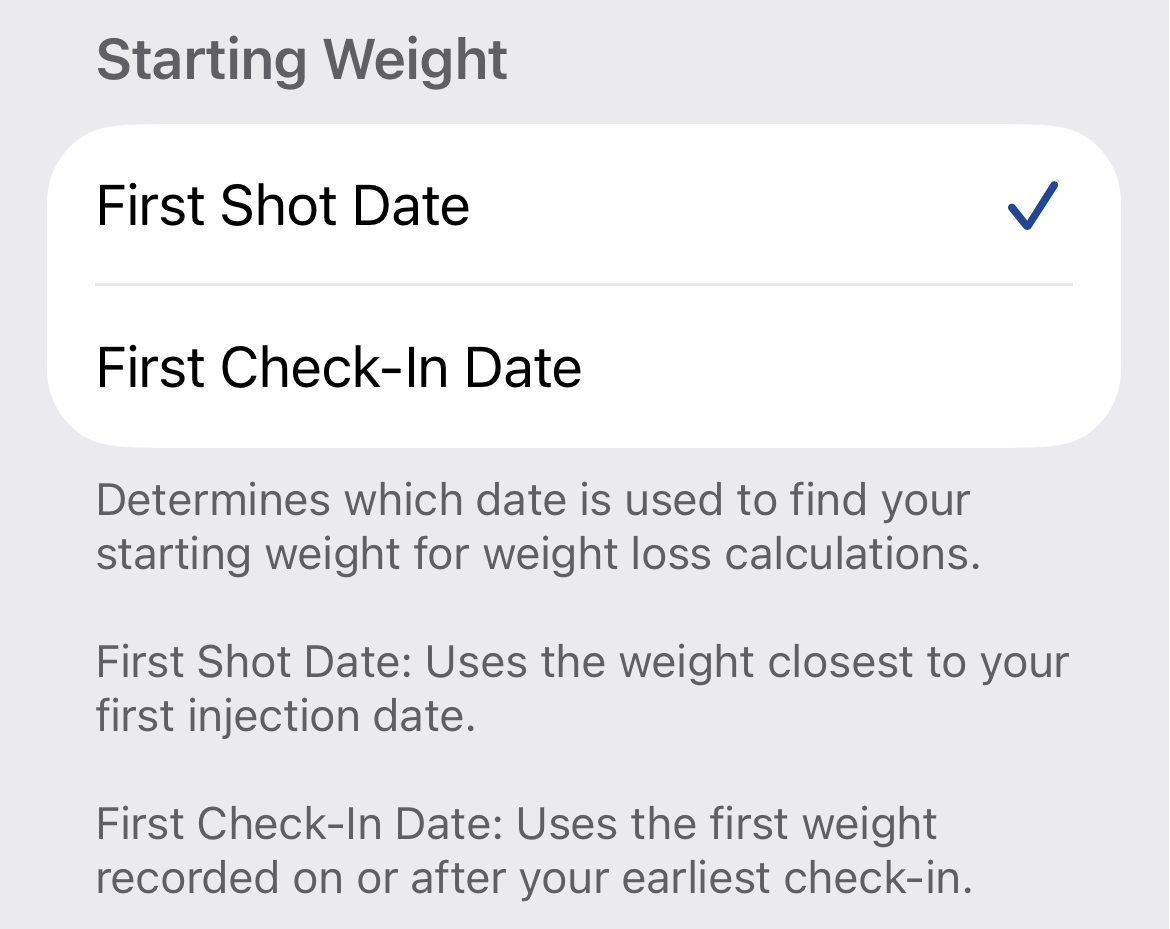
The trend line uses weight data starting from either your first shot date or your first check-in date, depending on which option you've chosen in Settings.
To check or change this: go to Settings → Charts → Starting Weight and choose between First Shot Date or First Check-In Date. This determines the earliest point your trend line will start from.
Tips for a Better Trend Line
- Weigh in regularly — you don't need to weigh in every day, but consistent data gives you a smoother, more accurate trend.
- Same time of day helps — morning weigh-ins before eating tend to be the most consistent.
- Give it time — the trend line gets more useful the more data it has. After a few weeks, it becomes a really reliable picture of your progress.
Was this article helpful?
That’s Great!
Thank you for your feedback
Sorry! We couldn't be helpful
Thank you for your feedback
Feedback sent
We appreciate your effort and will try to fix the article