You can log today's weight right from the Dashboard, or backfill past entries a few different ways. Pokii also syncs with Apple Health, so your data stays in one place.
Add Today's Weight
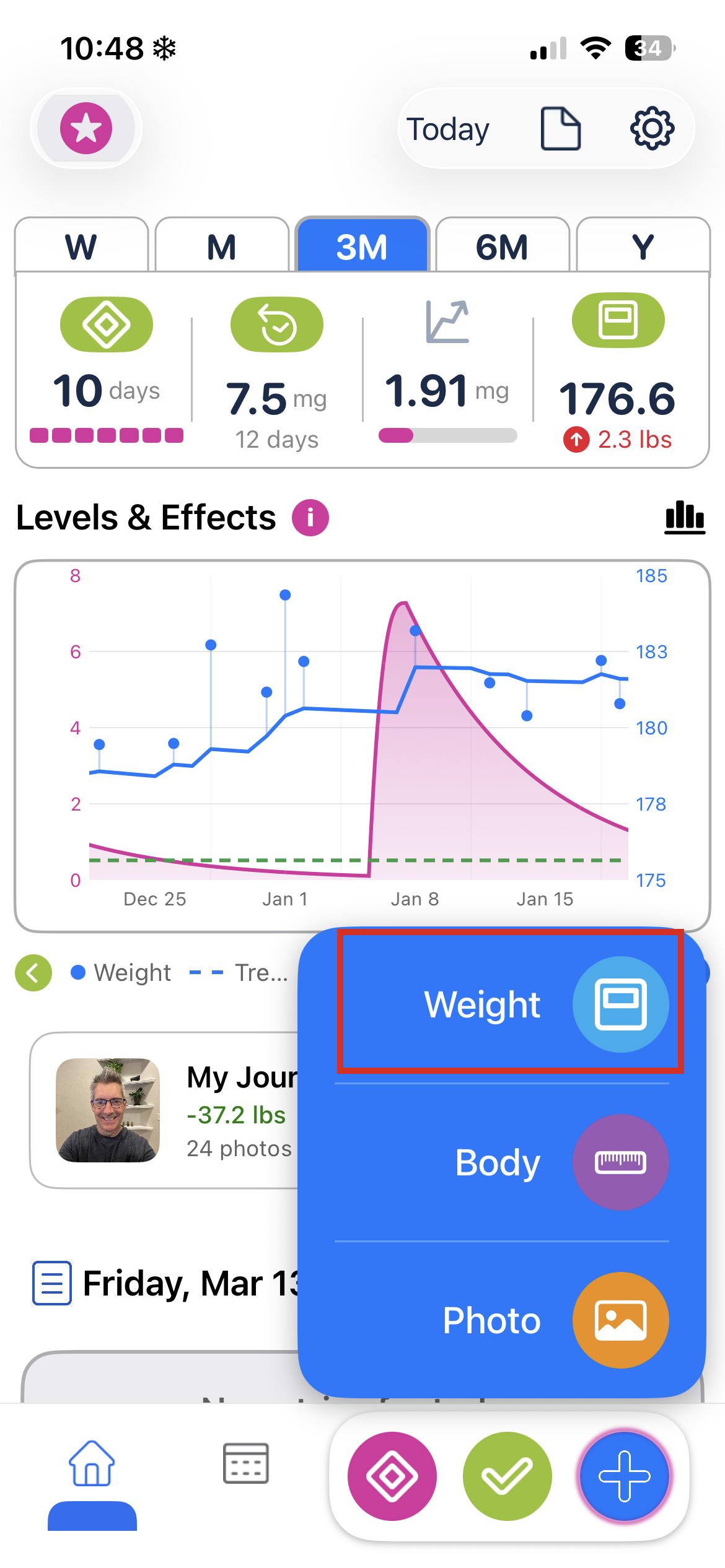
- Open Pokii and go to the Dashboard.
- Tap the + button in the bottom nav bar (bottom right).
- Tap Weight from the menu that appears.
- Select your weight and tap Add.
The chart updates right away, and the entry is written to Apple Health automatically (if you've given Pokii permission).
Add a Past Weight
There are a couple of ways to backfill weight entries — directly in Pokii, or through Apple Health.
Option 1: Use the Date Picker
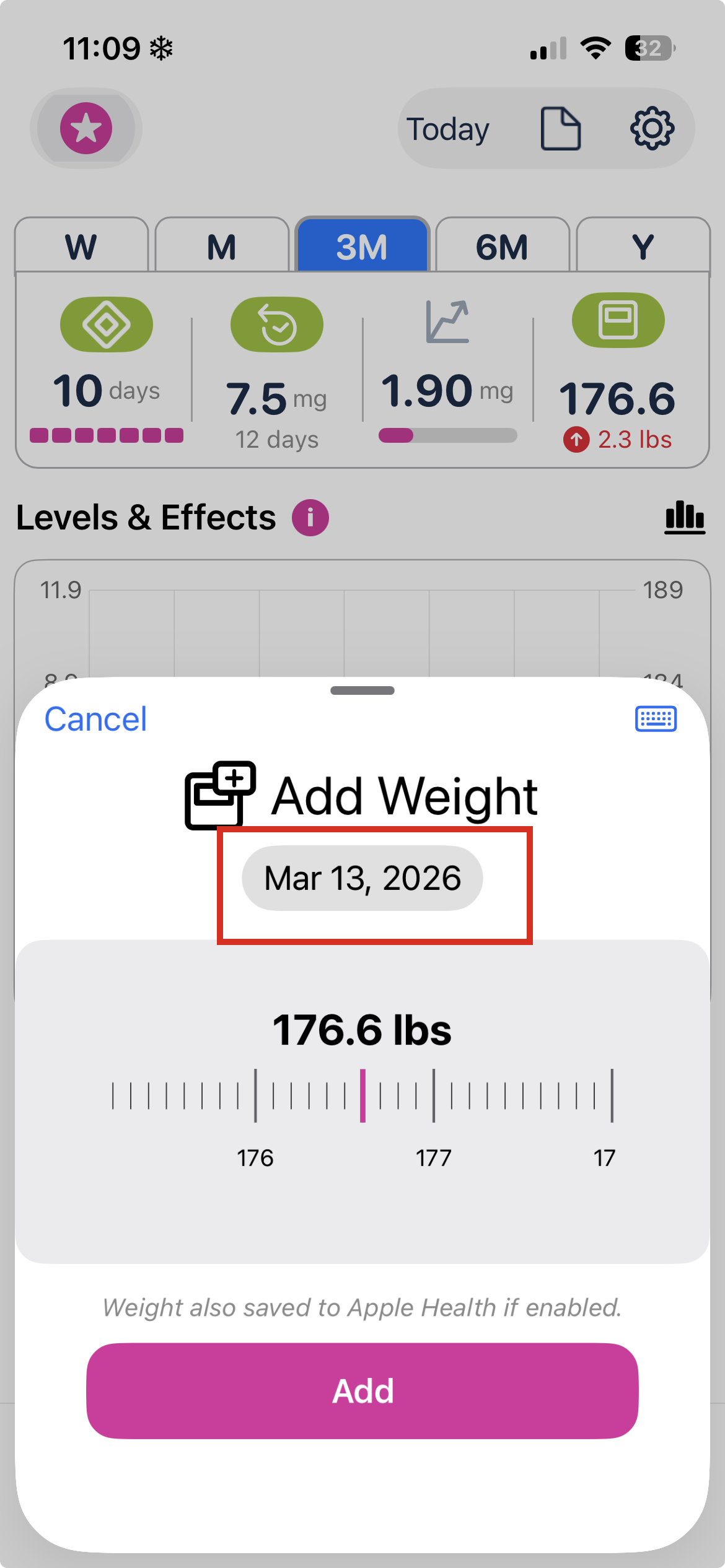
When the weight dialog opens, tap the Date to pick any date from a date picker.
Option 2: Use the Calendar
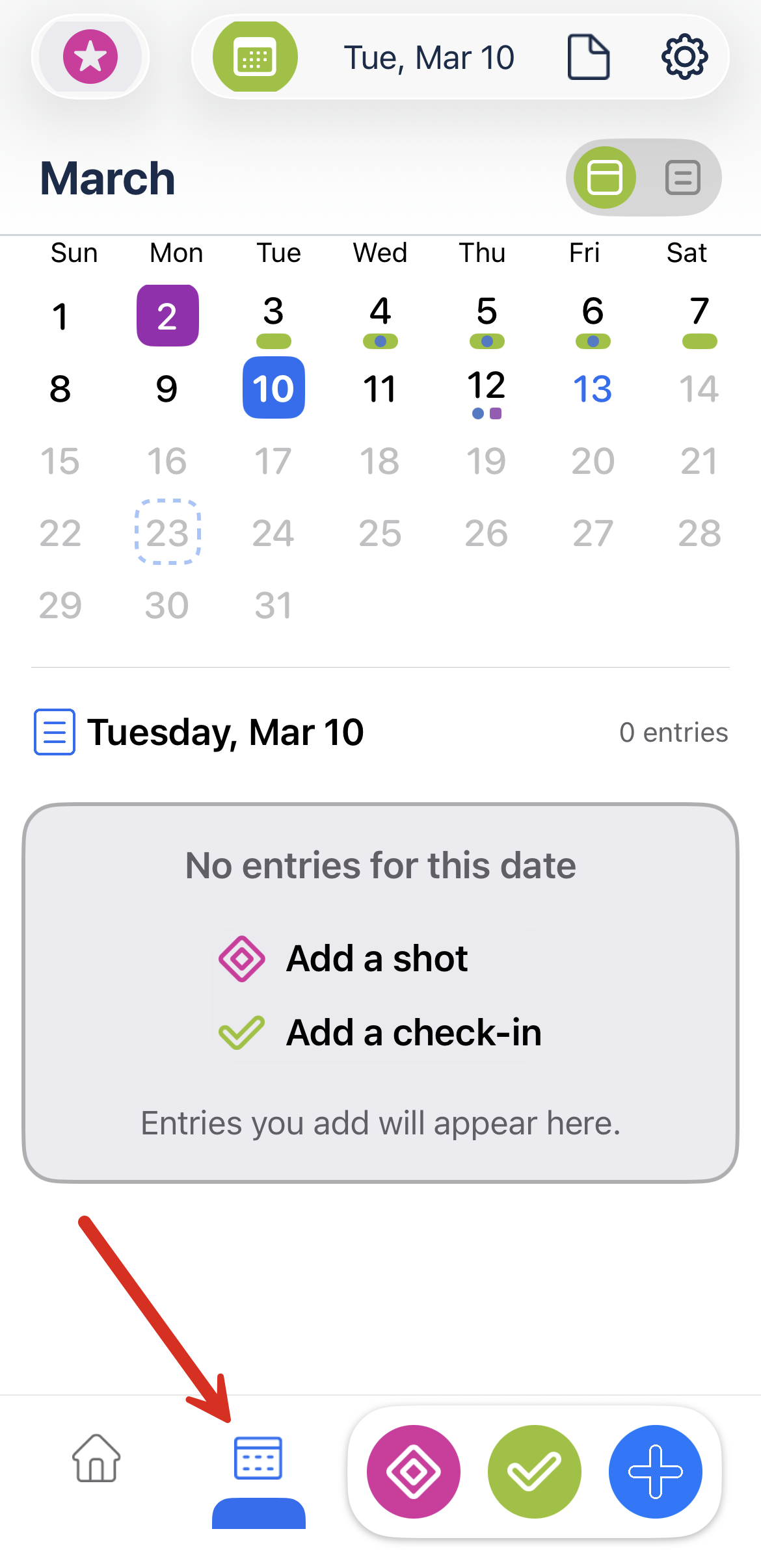
- Tap the Calendar icon (bottom right) to open the Calendar view.
- Select the date you want to log weight for.
- Tap the Home icon (bottom left) to go back to the Dashboard.
- Tap the + button in the bottom nav bar and select Weight.
- Enter your weight and tap Add — it'll be saved for the date you selected, not today.
Option 3: Add in Apple Health
You can also enter past weights directly in Apple Health and Pokii will pick them up automatically (if you have enabled Apple Health permissions).
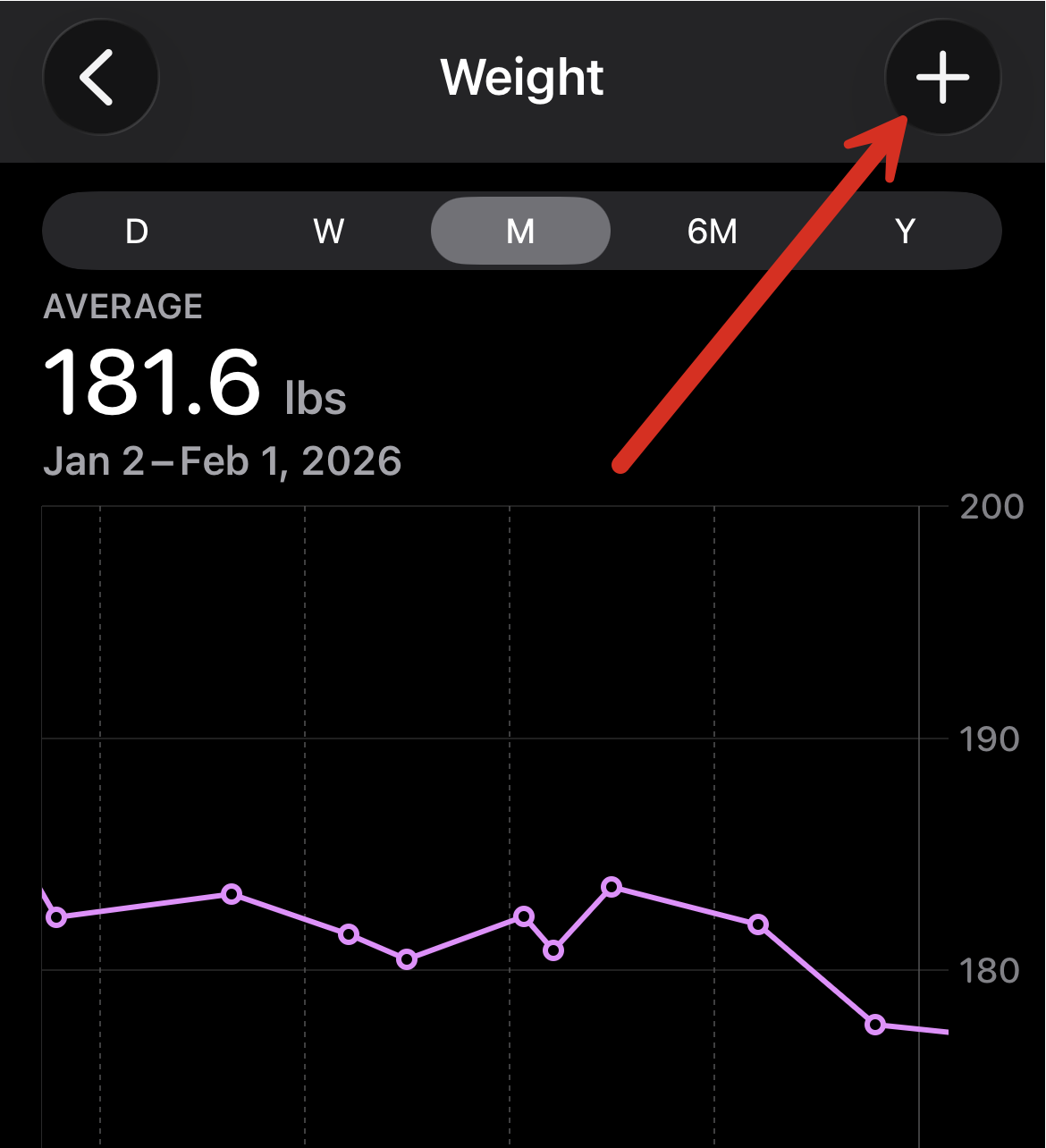
- Open the Apple Health app.
- Go to Browse → Body Measurements → Weight.
- Tap Add Data in the top right.
- Enter your weight and set the correct date.
- Back in Pokii, swipe down on the chart to refresh — your entry will appear.
Was this article helpful?
That’s Great!
Thank you for your feedback
Sorry! We couldn't be helpful
Thank you for your feedback
Feedback sent
We appreciate your effort and will try to fix the article