Rotating where you inject is important for avoiding skin irritation and keeping absorption consistent. Pokii can track your current site, remind you to rotate, and even guide you through a custom sequence if you want to be more deliberate about it.
How the Site Picker Works
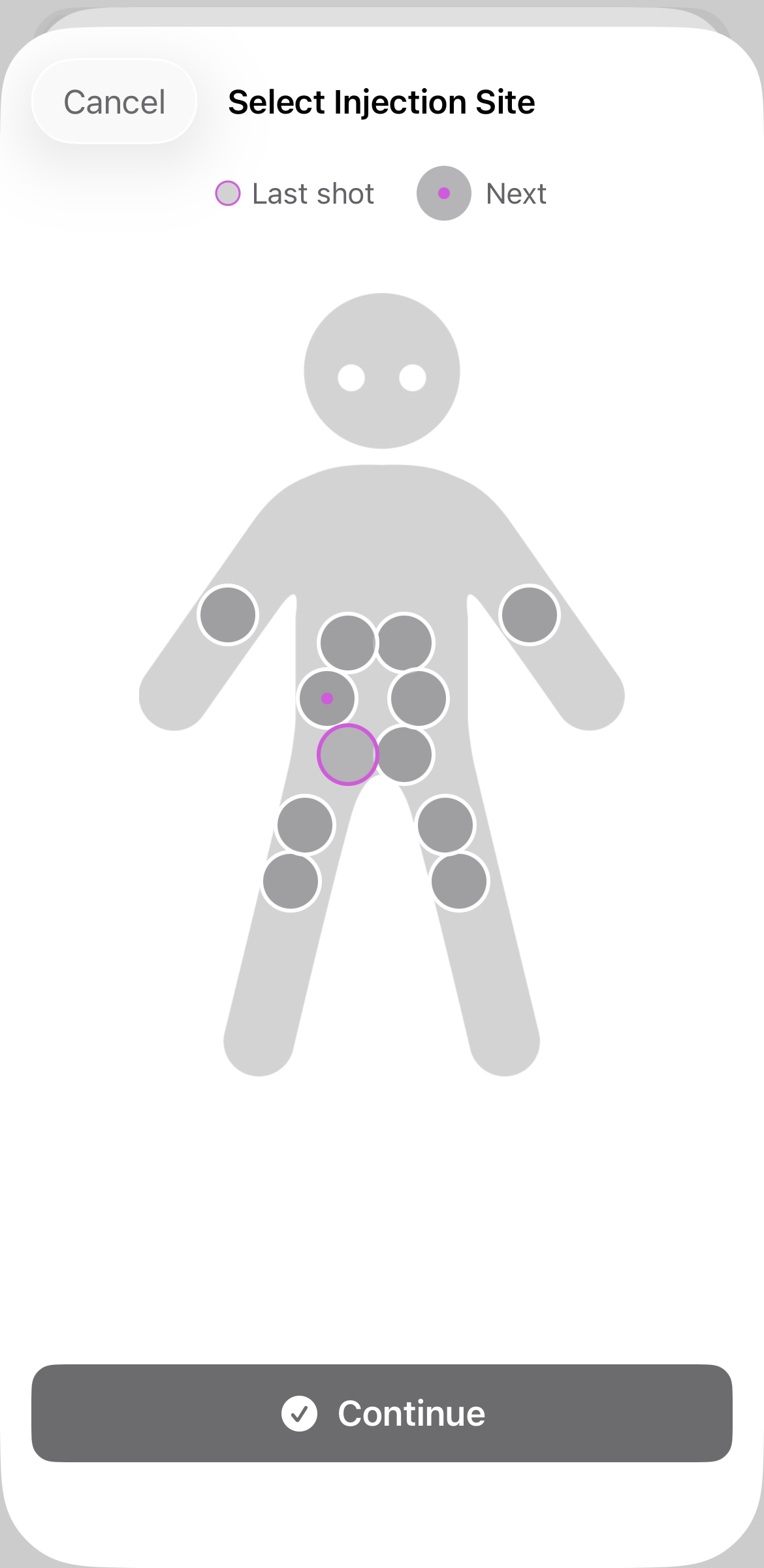
Every time you log a shot, you'll see the injection site picker — a body figure with tappable sites. Your last injection site is highlighted in your dosage color so you can see at a glance where you injected most recently.
If you've setup a rotation, you'll see another circle with a dot. That's your next injection site, just tap it to record today's shot. That's all you need to do to keep your site history accurate.
Setting Up a Custom Rotation
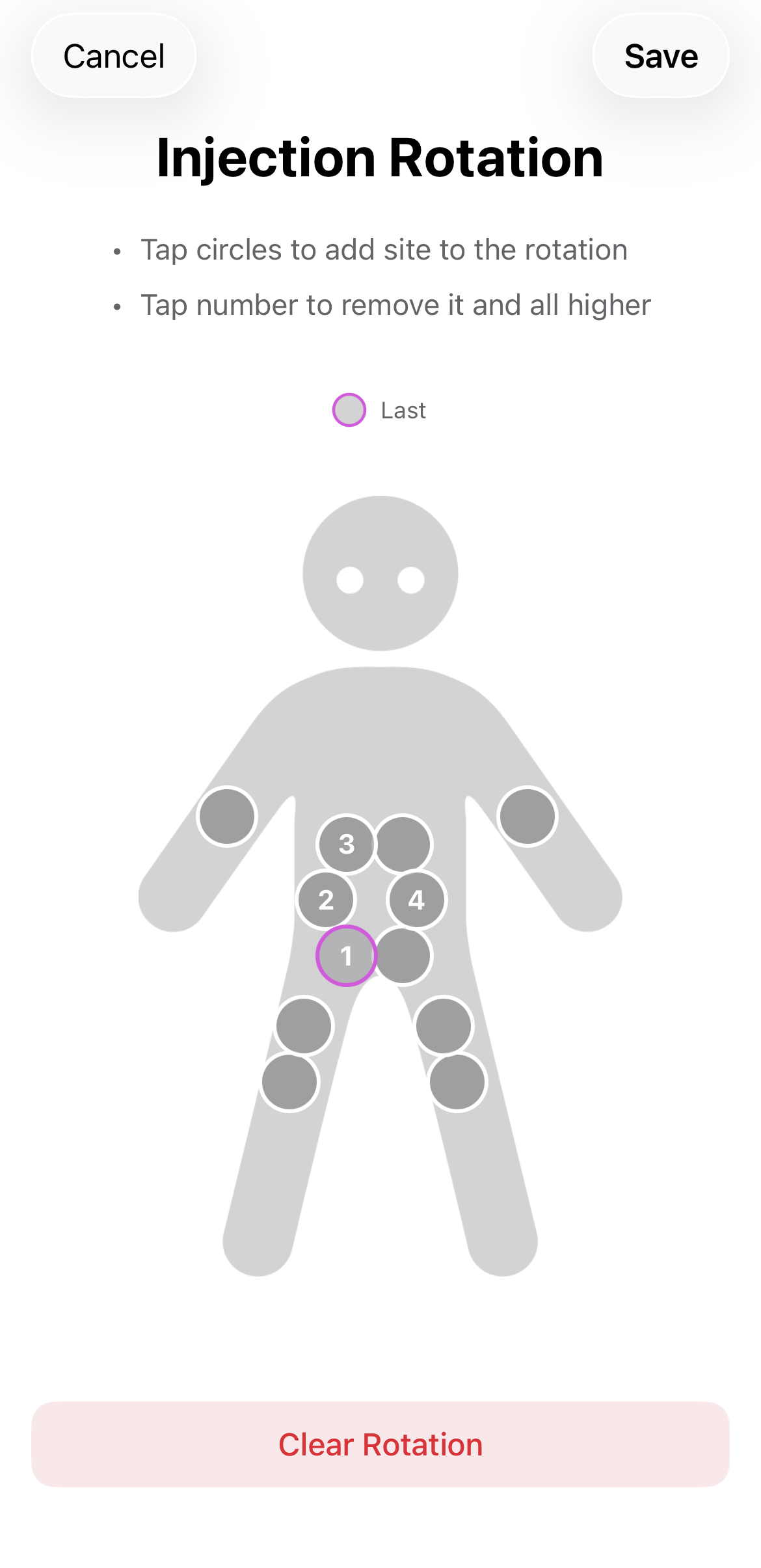
If you want Pokii to suggest your next site automatically like this, you can set up a custom rotation sequence. Go to Settings → Shots → Site Rotation and choose the sites you want to cycle through in the order you prefer.
- Tap the sites in the order you want to rotate through them.
- Pokii will suggest the next site in your sequence each time you log a shot.
- You can still tap a different site if you deviate — Pokii just tracks what you actually used.
Auto-Prompting for Site Selection
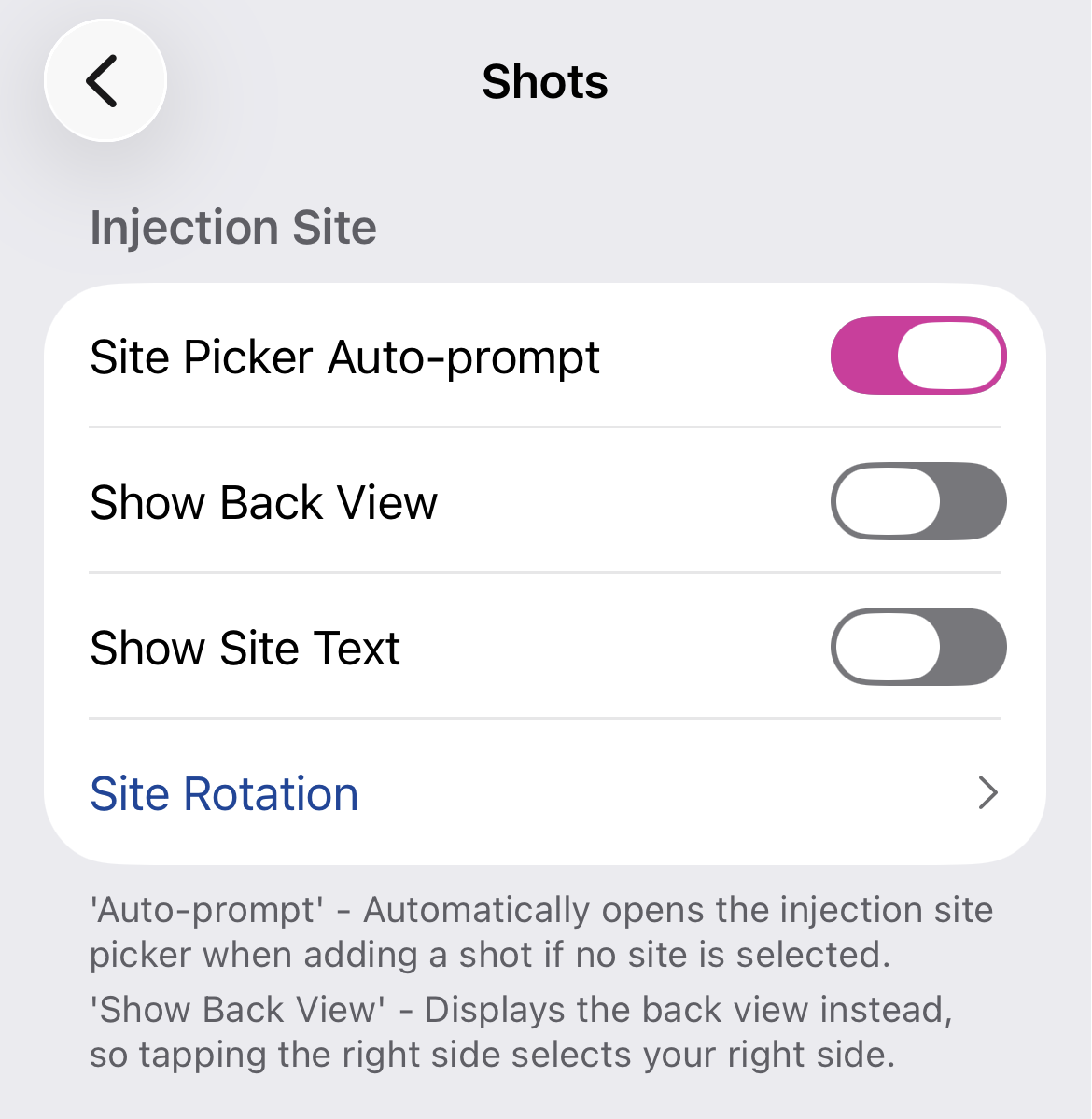
Don't want to think about it at all? Enable the auto-prompt option in Settings → Shots → Site Picker Auto-prompt. When this is on, the injection site picker opens automatically every time you add a shot — so you can never forget to log where you injected. You don't even need to click the body figure
Viewing Your Site History
Your injection site is saved with every shot. You can see it in the daily log from the dashboard or the calendar view.
Was this article helpful?
That’s Great!
Thank you for your feedback
Sorry! We couldn't be helpful
Thank you for your feedback
Feedback sent
We appreciate your effort and will try to fix the article