If you take more than one GLP-1 medication you can now star your most-used medicines so they're always one tap away on the Add Shot screen.
How to Favorite a Medicine
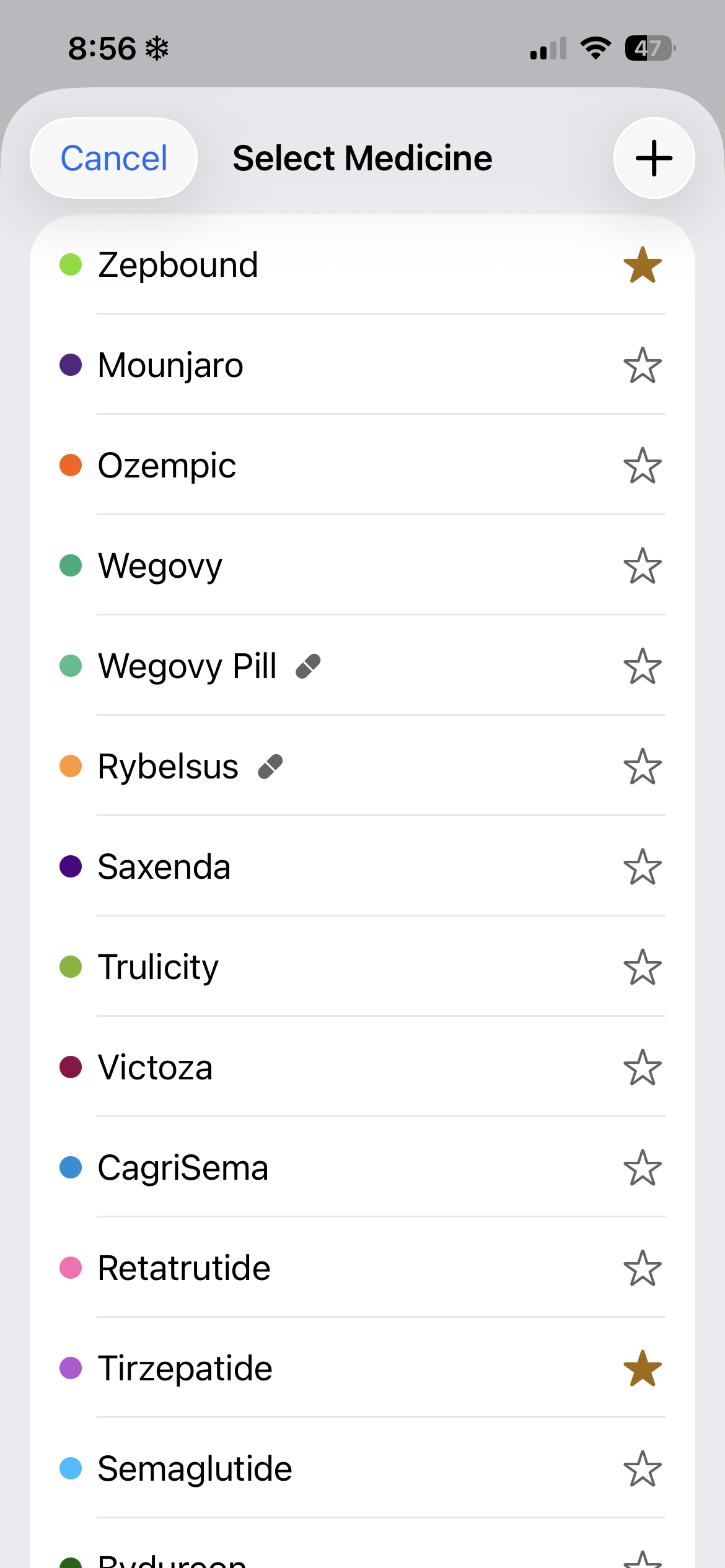
Open the Select Medicine list (tap the medicine name on the Add Shot screen, or access it through the medicines manager in Settings). You'll see a star icon to the right of each medicine.
- Tap the star next to any medicine to favorite it. It will turn gold.
- Tap it again to unfavorite.
- You can favorite as many medicines as you need.
Favorited Medicines on the Add Shot Screen
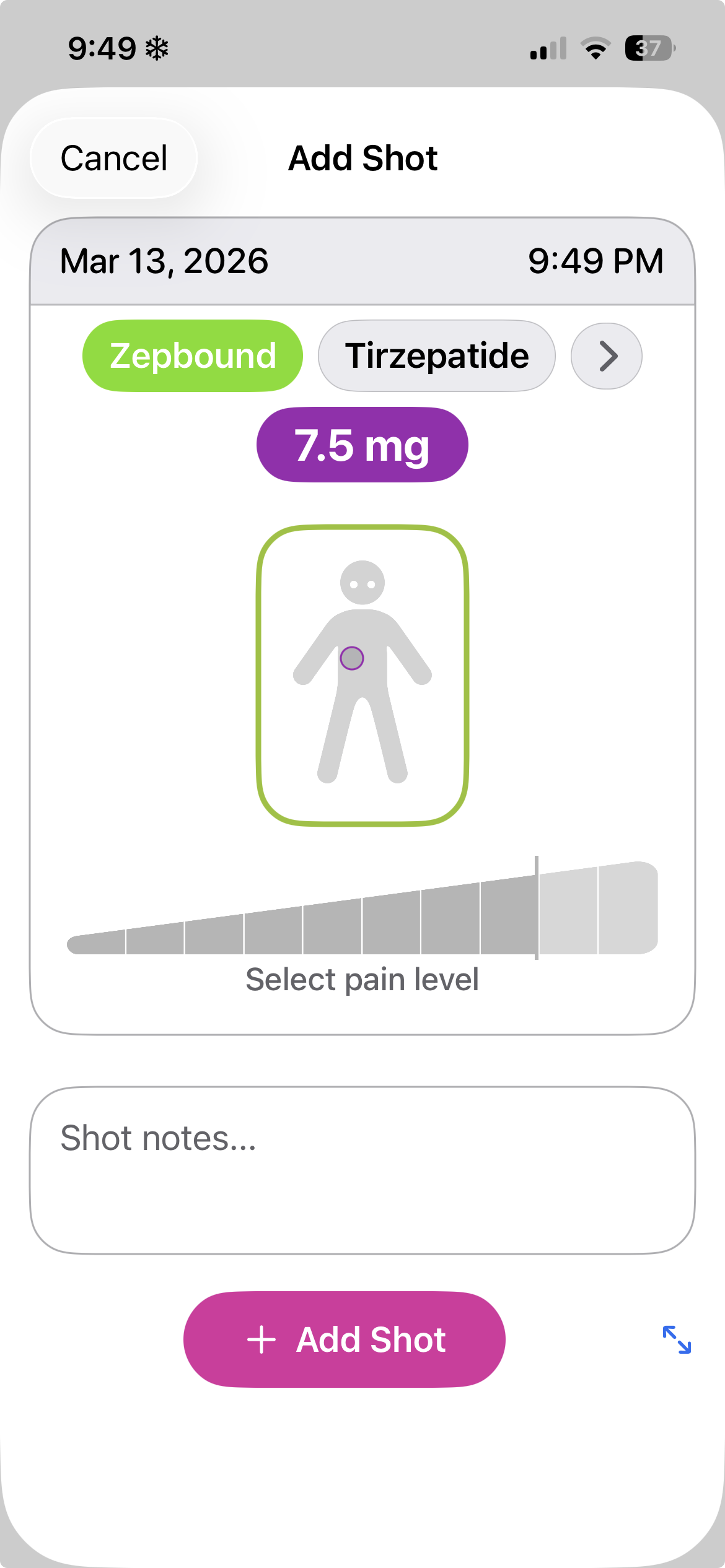
Once you've starred a medicine, it shows up as a quick-select chip at the top of the Add Shot screen. No scrolling through the full list — just tap the one you're logging for today.
If you take multiple medications, all of your favorites appear together, making it easy to switch between them and log each shot separately without digging through menus.
Viewing Level Curves by Medication
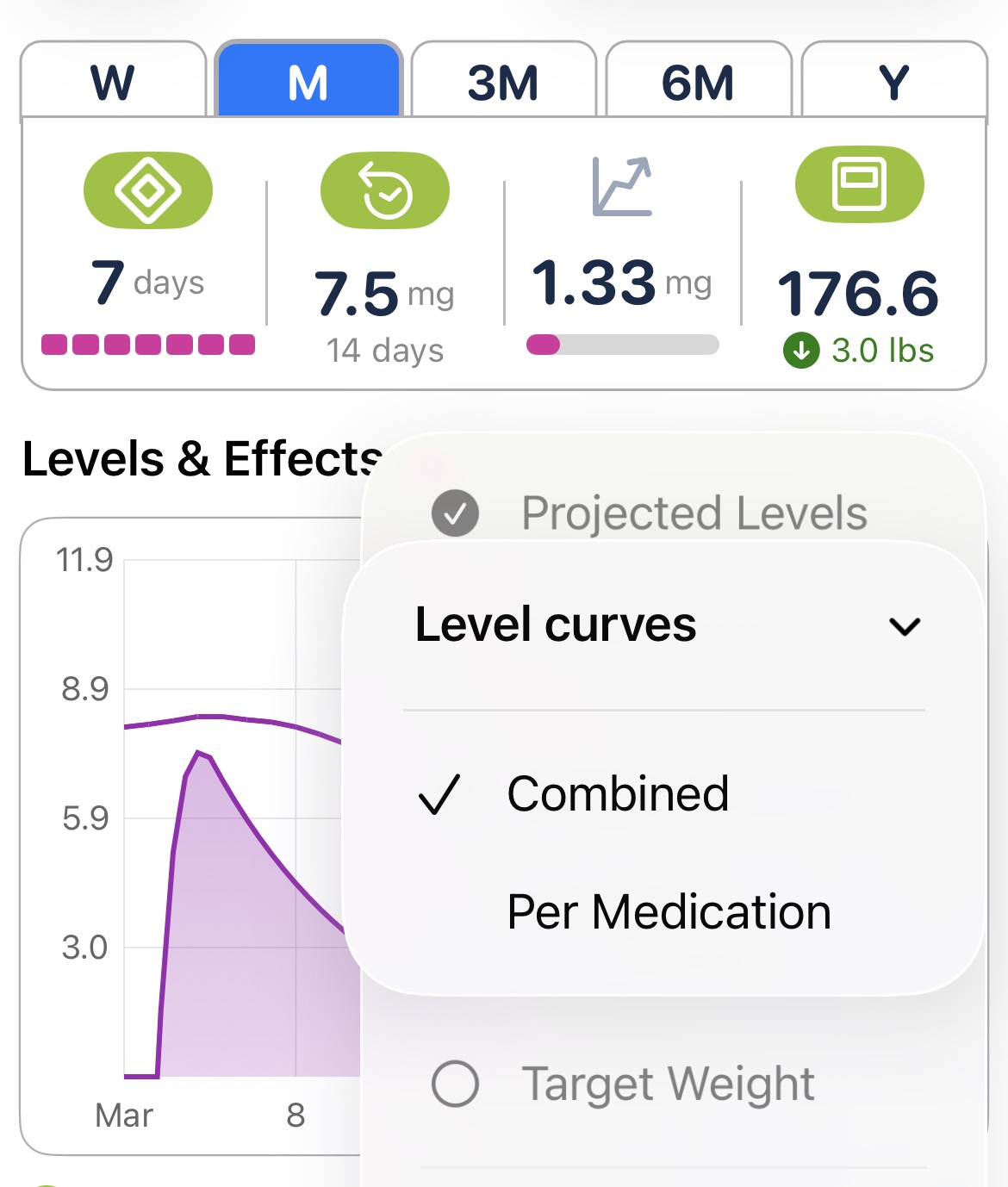
When you're logging more than one medication, you can choose how the projected level curve shows up on your chart. Head to Settings → Charts → Projected Levels → Level curves and pick one of two modes:
- Per medication — shows a separate curve for each medicine, so you can see how each one's levels rise and fall individually.
- Combined — adds everything together into a single curve, giving you a view of your overall projected level at any point in time.
Don't See Your Medicine?
If the medicine you take isn't in the list, add it!
Was this article helpful?
That’s Great!
Thank you for your feedback
Sorry! We couldn't be helpful
Thank you for your feedback
Feedback sent
We appreciate your effort and will try to fix the article