Pokii includes all major GLP-1 medications out of the box, but if yours isn't on the list — a compounded version, a trial medication, or anything else — you can add it yourself.
Getting to the Add Medicine Screen
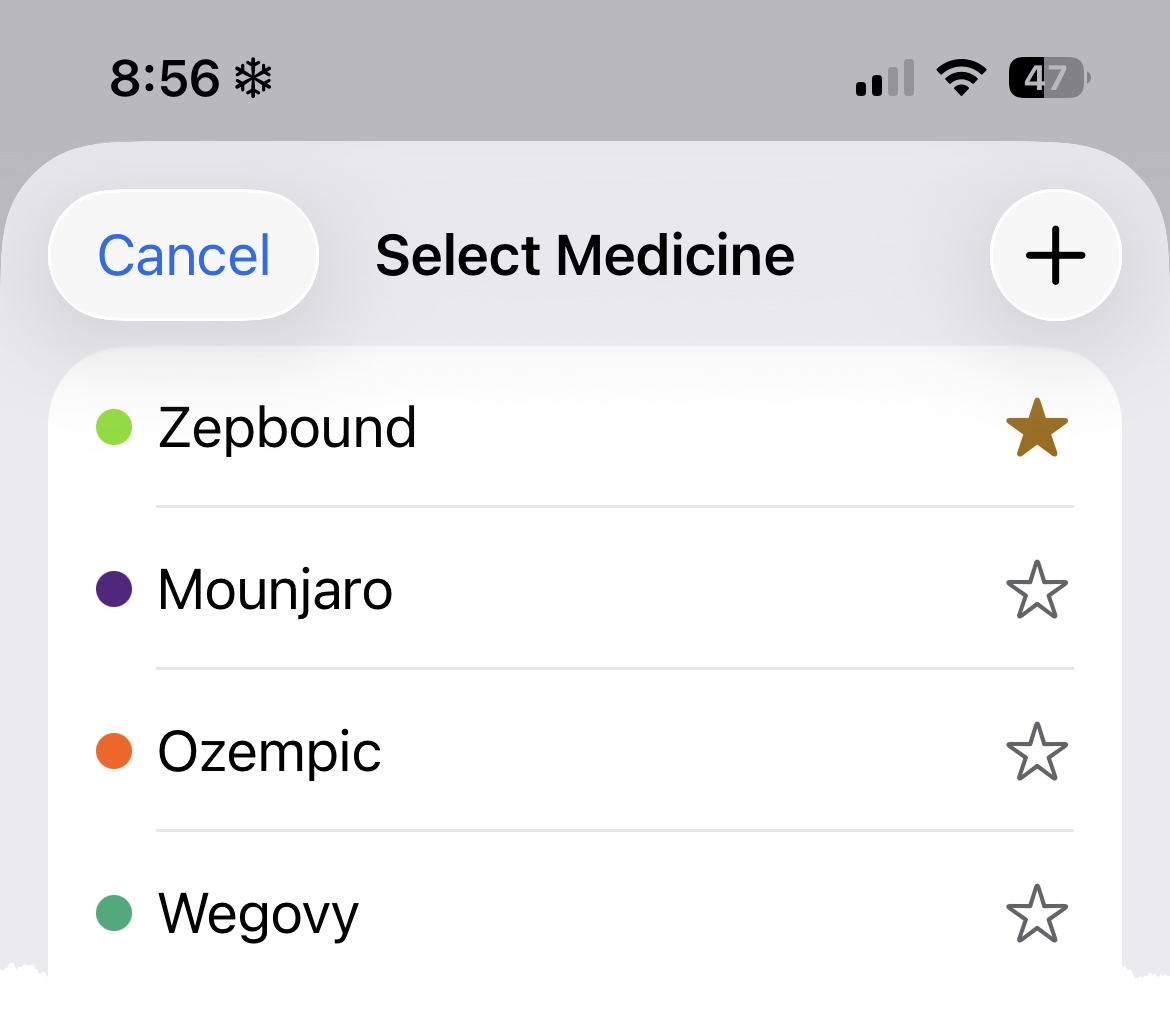
On the Select Medicine screen, tap the + button in the top-right corner. You'll find Select Medicine by tapping the current medicine name on the Add Shot screen or accessing from Settings → Medicine.
Filling in the Details
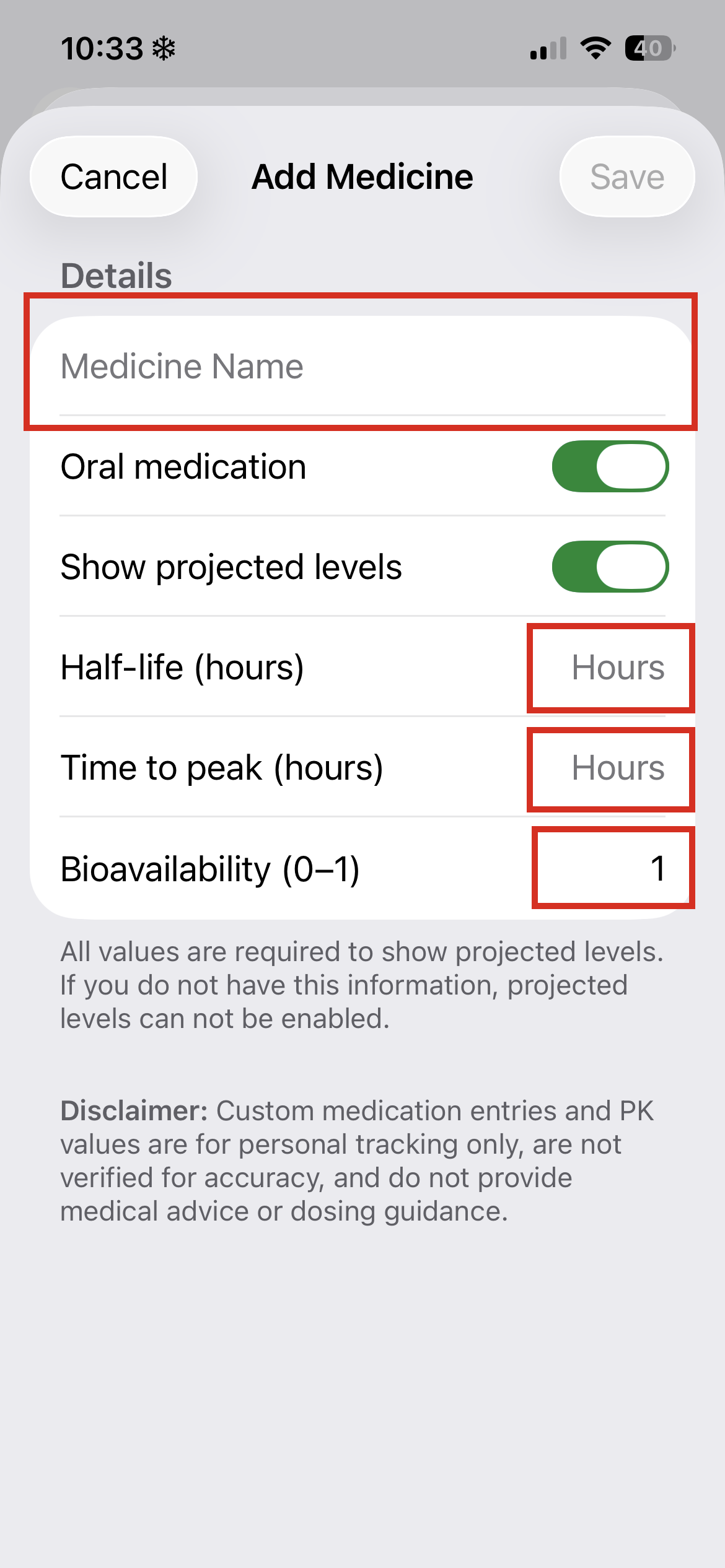
Give your medicine a name, then set it up the way you need:
- Medicine Name — name used to identify the medicine
- Oral medication — toggle this on if it's a pill rather than an injection.
- Show projected levels — turn this on to see an estimated medication level curve on your chart. Requires the three PK values below.
- Half-life (hours) — how long it takes the medication level to drop by half.
- Time to peak (hours) — how long after taking it until levels reach their highest point.
- Bioavailability (0–1) — the proportion of the dose that actually enters circulation. For most injectables this is 1. Oral medications are typically lower.
Saving & Using Your Custom Medicine
Tap Save when you're done. Your custom medicine will appear in the Select Medicine list alongside the built-in ones, and you can favorite it just like any other medicine for quick access on the Add Shot screen.
Was this article helpful?
That’s Great!
Thank you for your feedback
Sorry! We couldn't be helpful
Thank you for your feedback
Feedback sent
We appreciate your effort and will try to fix the article